How to Choose the Right Color Temperature for a Screen Light: A Professional Guide for Office, Gaming, and Design
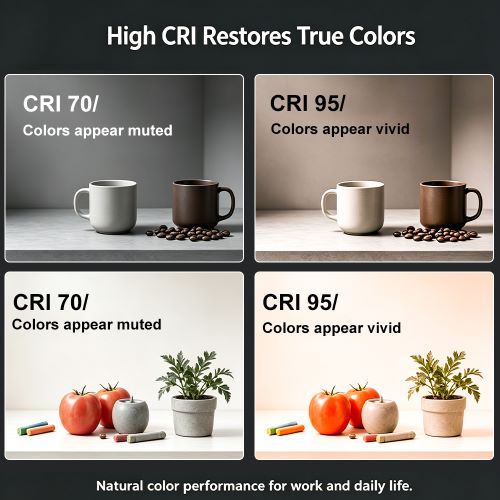
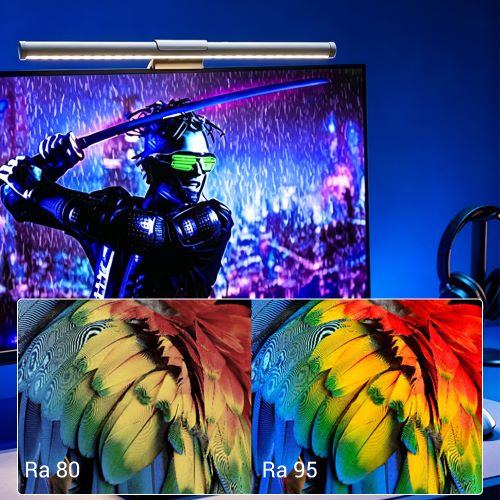
When picking a monitor light bar, most people obsess over "flicker-free" performance or "High CRI (Ra≥95)." While these are important, they often overlook the one parameter that actually dictates your daily comfort and workflow "vibe"—Color Temperature (Kelvin).
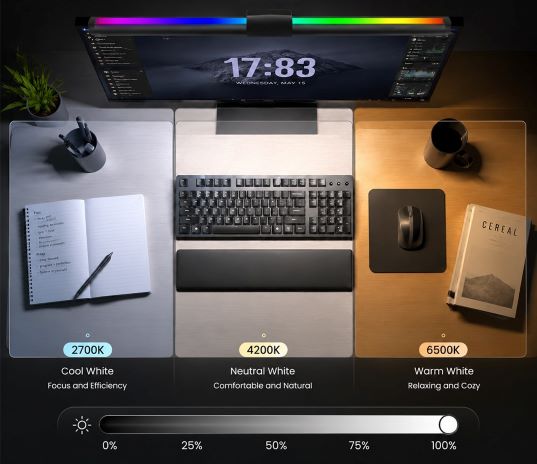
Color temperature is more than just a light’s hue; it directly impacts your focus, melatonin secretion, and even the accuracy of your creative output. If your eyes feel "constantly strained" or you find yourself getting sleepy mid-task, your color temperature is likely the culprit. The rule of thumb: Higher Kelvin values deliver cooler, energizing light, while lower values offer warmer, relaxing tones. Paired with Ra≥95 high color rendering, here is how to dial in the perfect setting for your specific scenario.
1. Office & Productivity: 4000K Neutral Light (The "Efficiency Engine") Staring at spreadsheets or documents for hours requires lighting that is crisp but not clinical. Avoid the extremes: cool light over 6000K is high in blue light and will make your eyes ache after an hour; conversely, 3000K warm light is far too "sleep-inducing." If you use the wrong tone, your efficiency can literally get cut in half.
Optimal Choice: 4000K (±200K) Neutral Light. This mimics natural light at 9-10 AM—fresh, clear, and glare-free. It keeps you alert without the harshness of high-Kelvin bulbs. It is the definitive "all-rounder" for daily office tasks, study sessions, and intensive writing.
2. Gaming & Entertainment: 3000K Warm Yellow Light (The "Late-Night Shield") Gamers often play in dim or dark environments. In a dark room, cool white light creates a jarring contrast with the screen, leading to severe glare and eye irritation. Furthermore, bright cool light suppresses melatonin, leaving you wide awake long after you've logged off.
Optimal Choice: 3000K Warm Yellow Light. Warm tones soften the harsh edges of the screen and bridge the gap between your monitor and the dark room. Your eyes can finally stop feeling "strained." This setting also acts like a natural filter, enhancing game textures and building a deeply immersive atmosphere for late-night sessions or movie marathons.
3. Design & Creative Work: 5000–5500K Cool White Light (The "Calibration Ruler") For graphic design, photo retouching, or video grading, color accuracy is non-negotiable. Any warm yellow tint will act as a "false mask" over your screen, leading to poor color judgment. The result? A professional disaster where your final files or prints look completely different from what you saw on your monitor.
Optimal Choice: 5000–5500K Cool White Light. This simulates standard midday daylight, providing a neutral, tint-free baseline. Combined with a Ra≥95 CRI, it ensures that every shadow detail and subtle color shift is revealed exactly as it is, meeting the rigorous standards of professional creators.
Buying Summary & Pro Tips Scenario Lock: Use 4000K for office productivity, 3000K for immersive gaming, and 5500K for color-critical design.
Versatility Matters: The best desk setups aren't static. Look for screen lights with 3-Step Color Temperature adjustment and Stepless Dimming. One quality lamp should be able to transition with you from a high-focus morning to a relaxed, late-night gaming session.